

The round trip
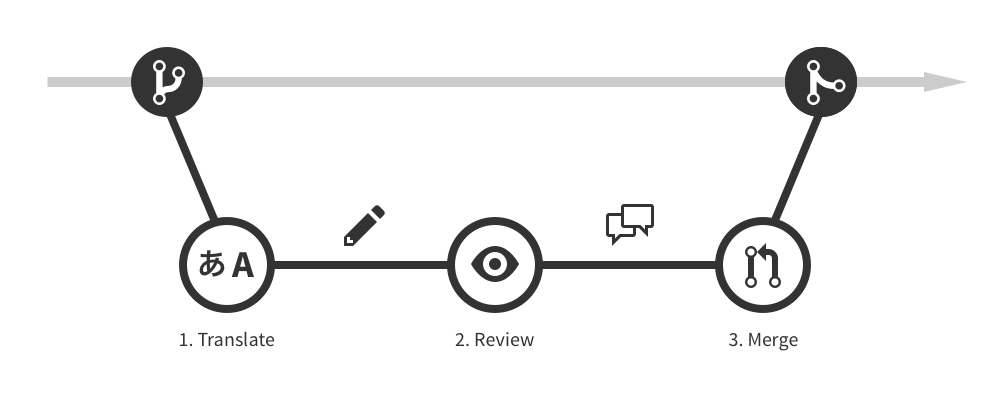
- GitLocalize pulls source files from the repository, following the configured paths.
- Translators work on those files in the editor. Each contributor’s work becomes their own commit.
- A finished translation goes to a Language Moderator as a review request.
- Once approved, the moderator opens a pull request against the repository.
- Merging that pull request puts the translation live.
Segments
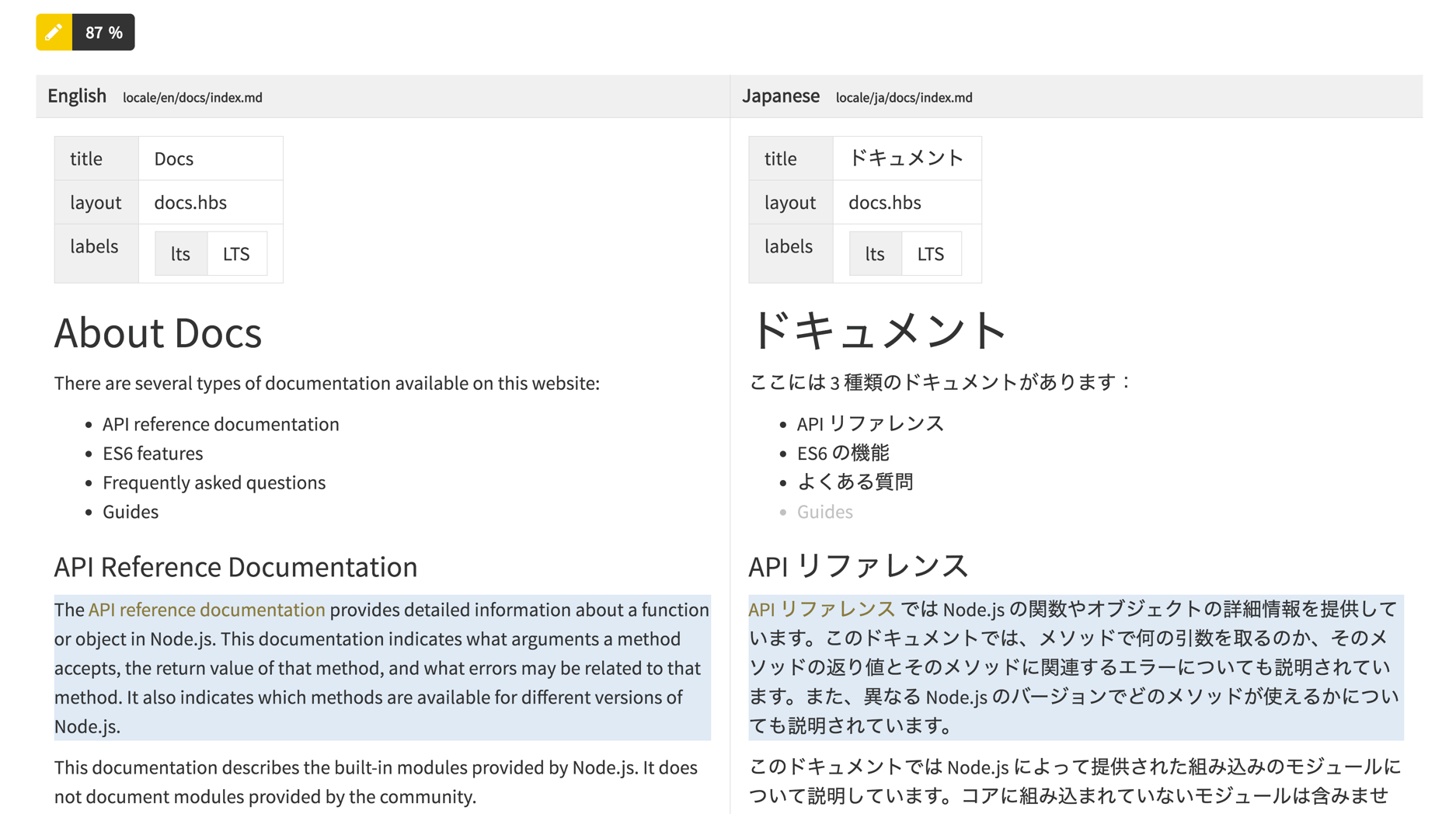
GitLocalize does not treat a file as one block of text. It parses the file into segments — translatable chunks that can be tracked individually. Markdown, Jupyter Notebook and several other formats are segmented this way. Each segment in a translation file is linked to the segment it translates in the source file. That link is what makes continuous localization work:- Progress can be counted. A file is 60% translated because 60% of its segments have translations, not because someone estimated it.
- Changes are localized. Editing one paragraph in the source marks that one segment as needing attention, instead of invalidating the whole file.
- Translators see the pairing. The editor puts source and translation side by side, segment by segment, and highlights the ones with nothing on the translation side.
Segment states
Statistics count segments in these states, by characters and by words:
See Statistics for where these are reported.
Where to go next
Quickstart
Connect a repository and translate a first file.
Repositories
The form fields, private repositories, and what happens after.