> ## Documentation Index
> Fetch the complete documentation index at: https://docs.gitlocalize.com/llms.txt
> Use this file to discover all available pages before exploring further.
# Translating a file
> Finding work to do, the split-view editor, and how a translation is submitted.
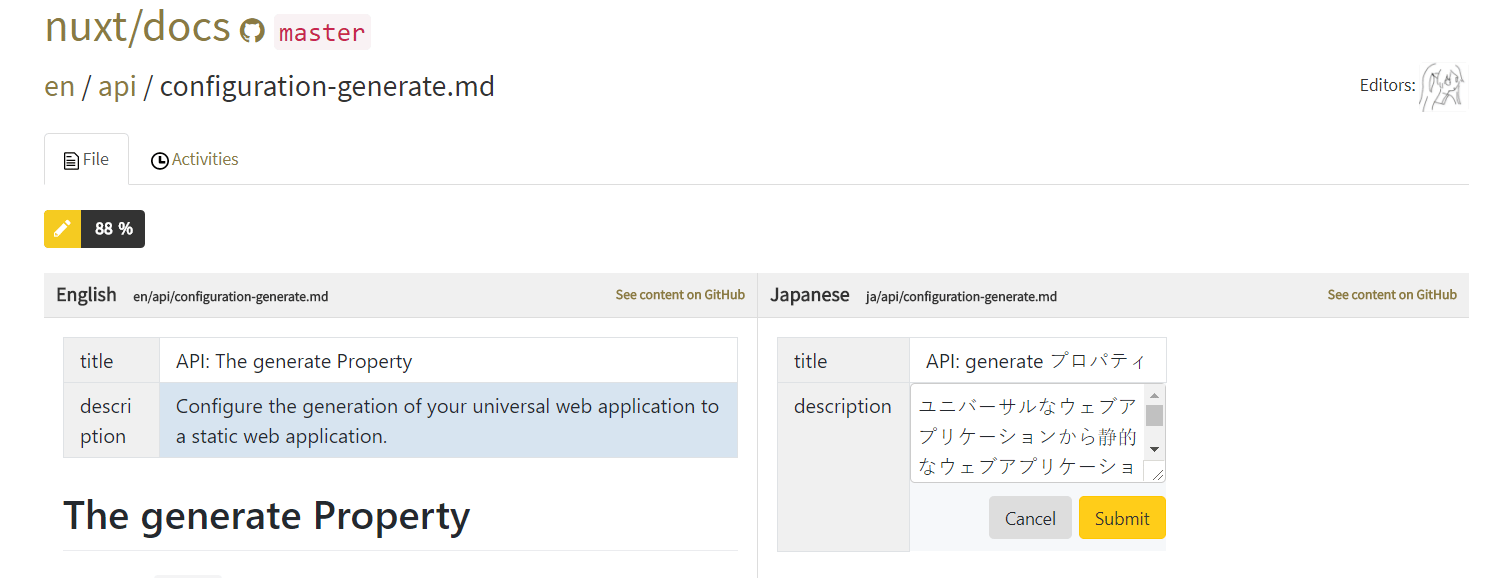
Translation happens in a split-view editor: source on the left, translation on the right, aligned
[segment](/how-it-works#segments) by segment. Segments with nothing on the translation side are
highlighted, so what remains to be done is visible without reading the whole file.
## Finding work
Public repositories are open to anyone — team membership is not required to translate one. Use the
search bar to filter by keyword, or browse the popular repositories on the
[home page](https://gitlocalize.com).
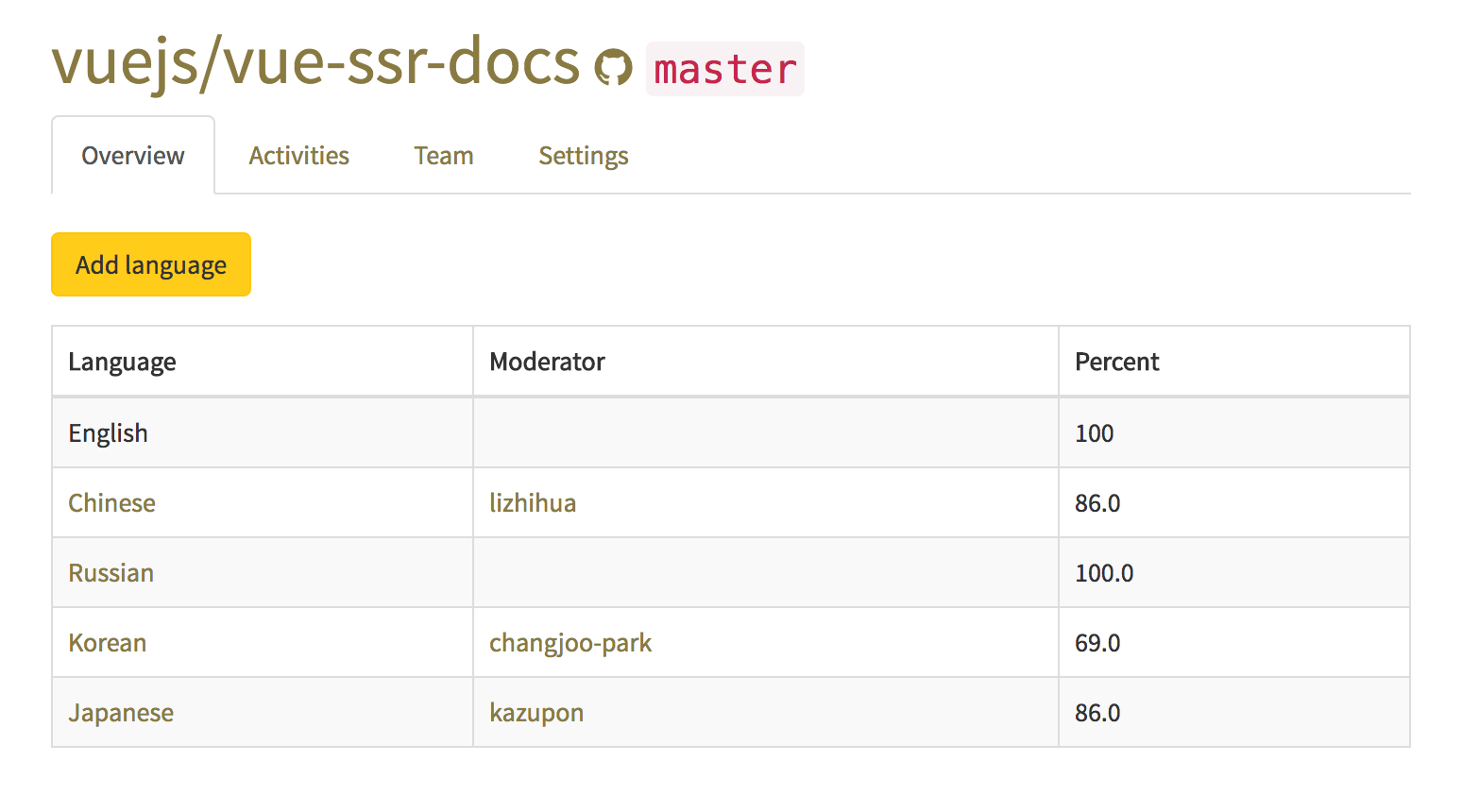
 A repository page lists its active languages, the moderator of each, and how much of the repository
is already translated into each one. Languages not listed can be added with **Add language**.
A repository page lists its active languages, the moderator of each, and how much of the repository
is already translated into each one. Languages not listed can be added with **Add language**.
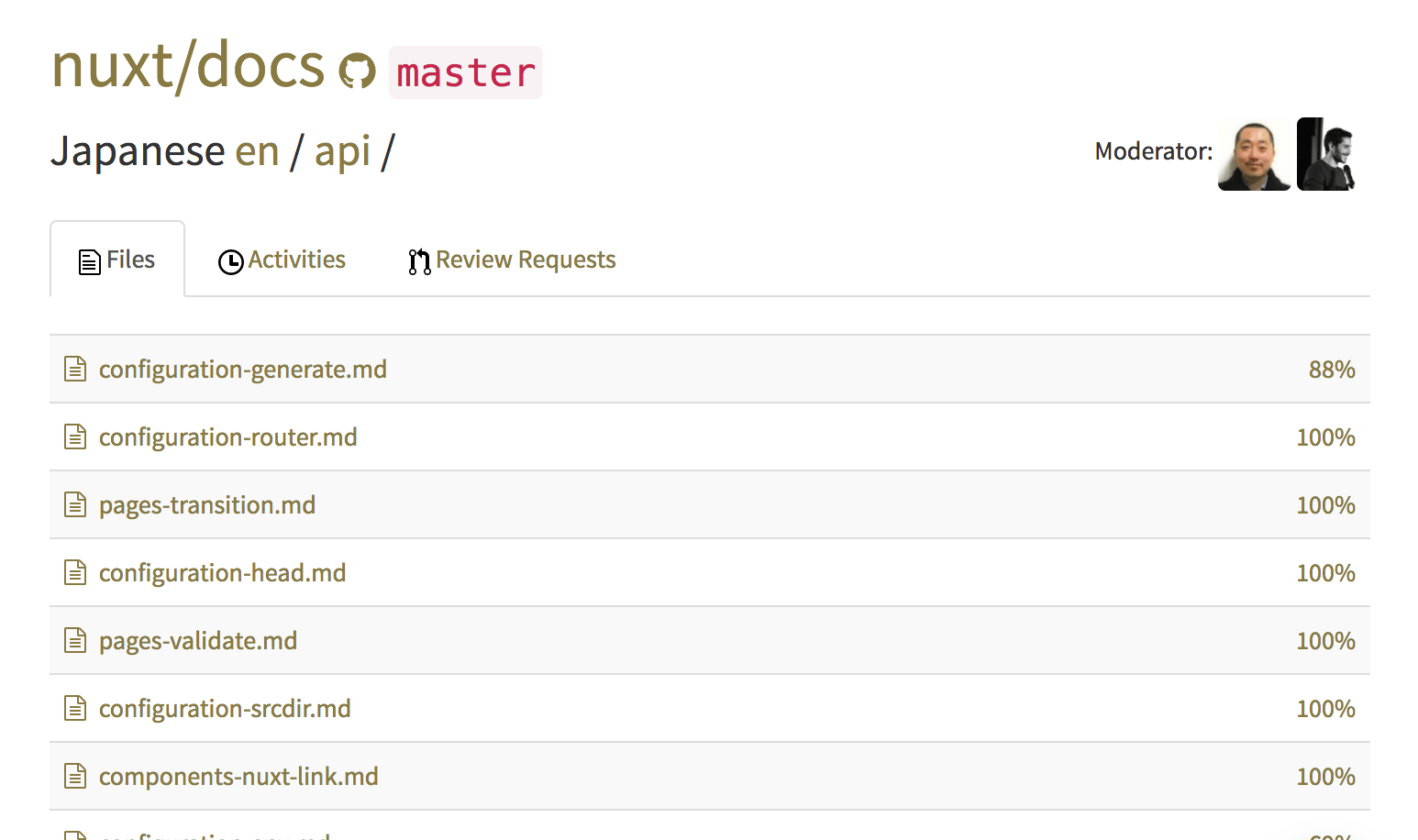
 Within a language, the file browser shows the same completion figure per file, which is the practical
way to find files that still need work.
Within a language, the file browser shows the same completion figure per file, which is the practical
way to find files that still need work.
 ## The editor
Selecting a segment on the translation side opens it for editing. Submitting it links that segment to
its source counterpart and counts it toward the file's completion.
## The editor
Selecting a segment on the translation side opens it for editing. Submitting it links that segment to
its source counterpart and counts it toward the file's completion.
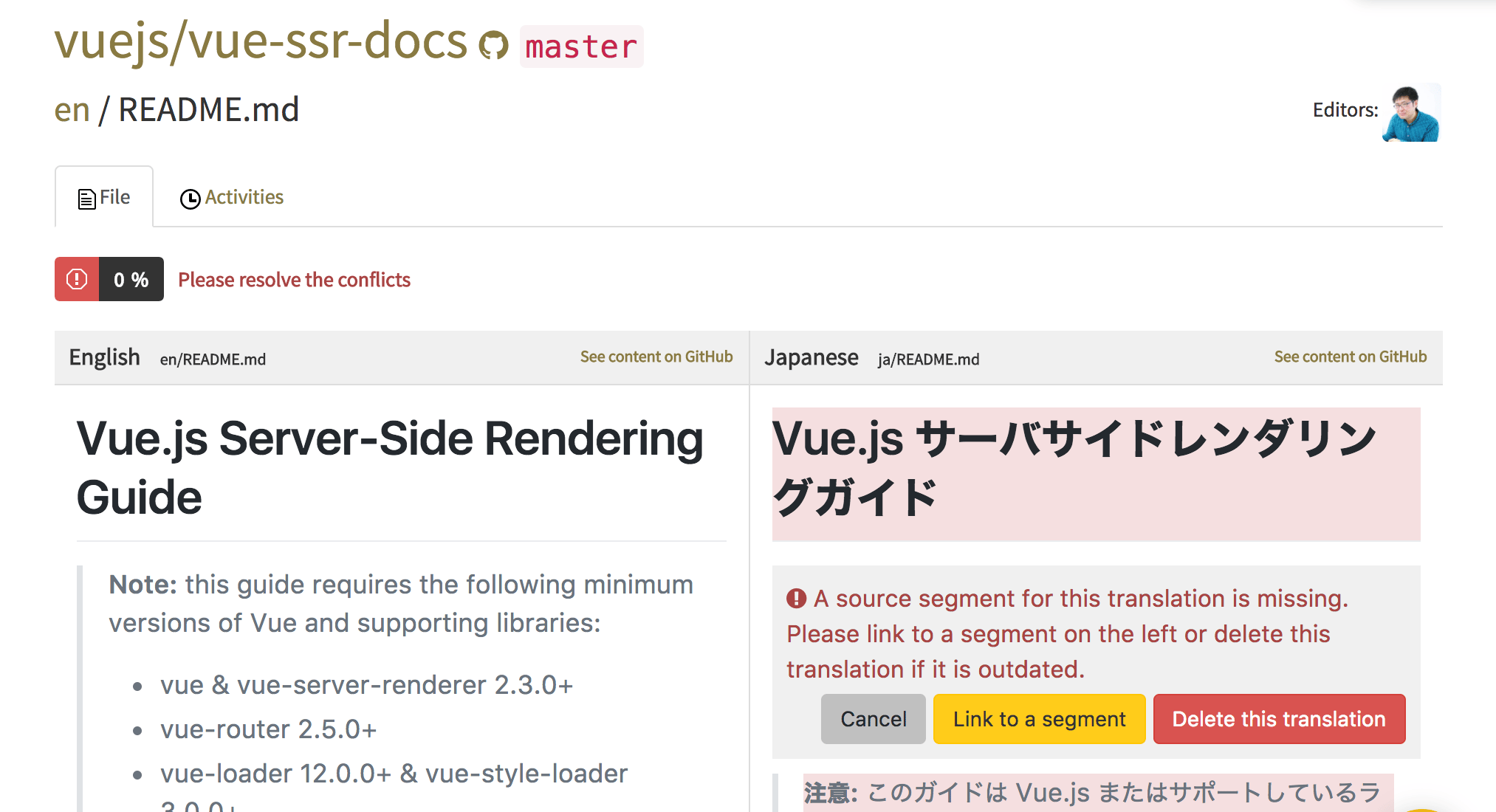
 Segments highlighted in red are [conflicts](/conflicts) — translation segments GitLocalize
could not match to a source segment. They have to be linked or deleted before the rest of the file
can be worked on.
Segments highlighted in red are [conflicts](/conflicts) — translation segments GitLocalize
could not match to a source segment. They have to be linked or deleted before the rest of the file
can be worked on.
 ## Submitting
A translated file is not sent to the repository directly. It goes to a Language Moderator as a review
request, and reaches GitHub as a pull request once approved — see
[Reviews and pull requests](/reviews).
## Submitting
A translated file is not sent to the repository directly. It goes to a Language Moderator as a review
request, and reaches GitHub as a pull request once approved — see
[Reviews and pull requests](/reviews).