> ## Documentation Index
> Fetch the complete documentation index at: https://docs.gitlocalize.com/llms.txt
> Use this file to discover all available pages before exploring further.
# Repositories
> Connecting a repository to GitLocalize, the Add repository form, and private or organization-owned repositories.
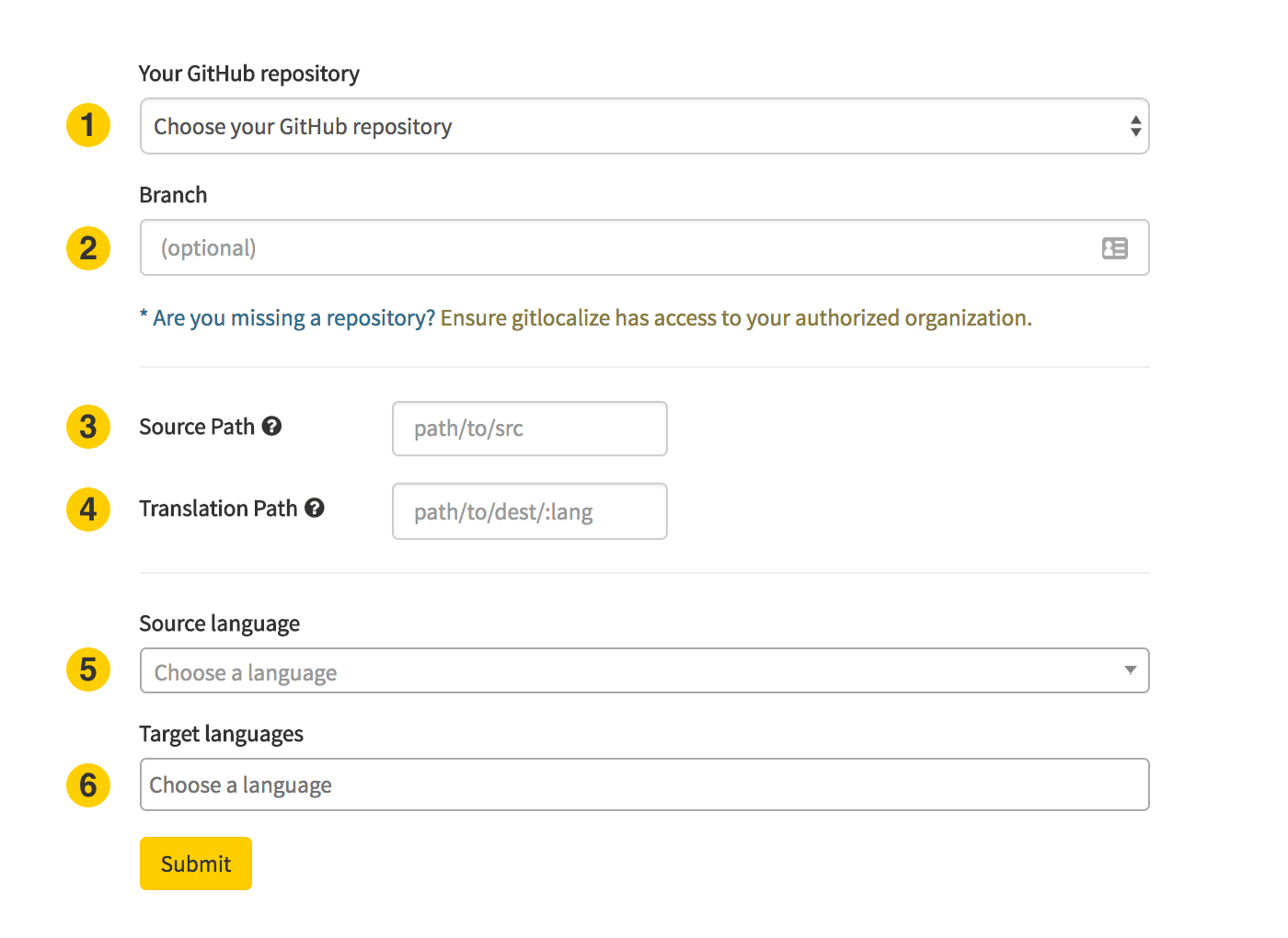
Connecting a repository is what makes its files translatable. Click **Add repository** on your
Repositories page and fill in the form.
 ## Form fields
The GitHub repository to localize. Only repositories the GitLocalize App can access appear here —
see [Private repositories](#private-repositories) if yours is missing.
The branch to sync from. Defaults to `master`.
Where the translatable files live. See [Paths and languages](/paths).
Where GitLocalize writes translated files. The `%lang%` placeholder splits output by language. See
[Paths and languages](/paths).
The language the original files are written in.
The languages to translate into. More can be added later.
## Private repositories
Both public and private repositories can be connected. A private repository owned by a GitHub
organization additionally requires that you hold the **Owner** role in that organization.
A repository that is private on GitHub stays private on GitLocalize — see
[Visibility](/visibility).
### When a repository doesn't appear in the list
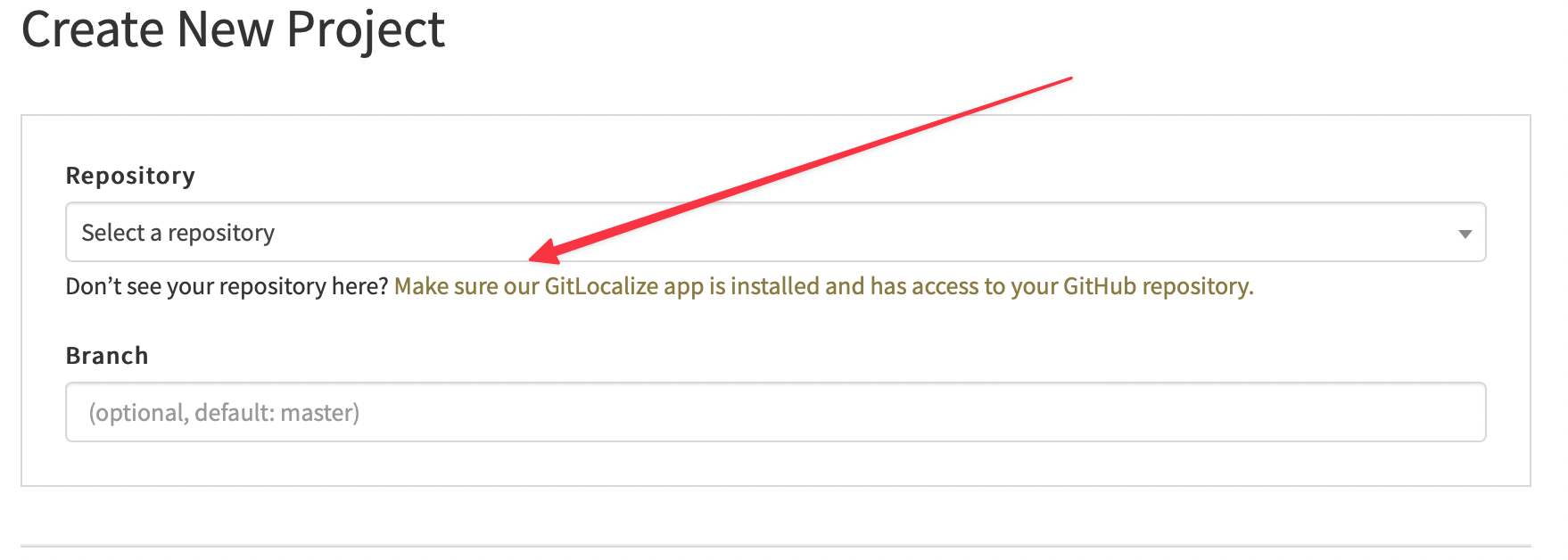
The GitLocalize App has not been granted access to it. Click the link below the repository selector:
## Form fields
The GitHub repository to localize. Only repositories the GitLocalize App can access appear here —
see [Private repositories](#private-repositories) if yours is missing.
The branch to sync from. Defaults to `master`.
Where the translatable files live. See [Paths and languages](/paths).
Where GitLocalize writes translated files. The `%lang%` placeholder splits output by language. See
[Paths and languages](/paths).
The language the original files are written in.
The languages to translate into. More can be added later.
## Private repositories
Both public and private repositories can be connected. A private repository owned by a GitHub
organization additionally requires that you hold the **Owner** role in that organization.
A repository that is private on GitHub stays private on GitLocalize — see
[Visibility](/visibility).
### When a repository doesn't appear in the list
The GitLocalize App has not been granted access to it. Click the link below the repository selector:
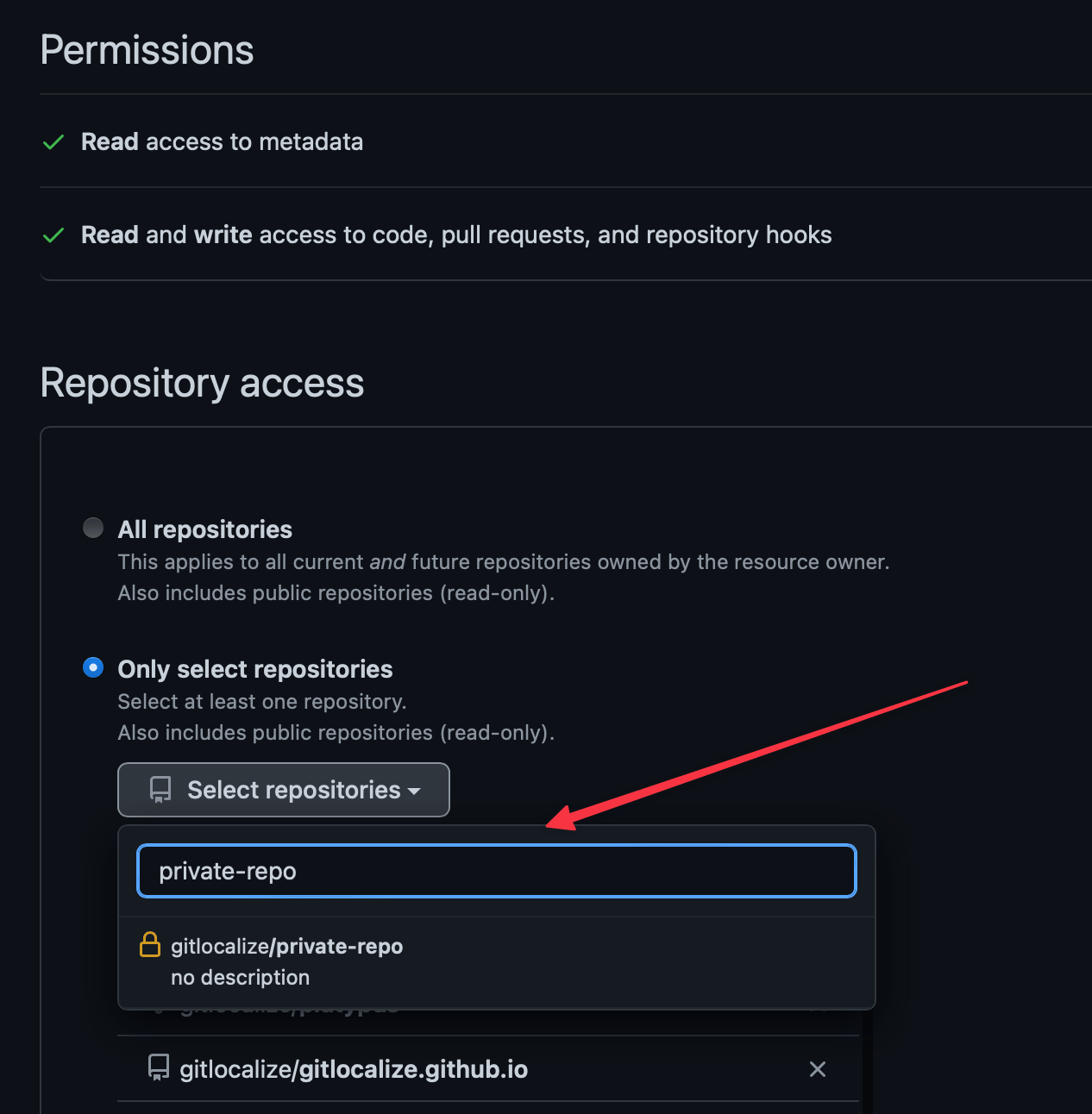
 It opens GitHub, where you select the organization and grant the GitLocalize App access to that
specific repository:
It opens GitHub, where you select the organization and grant the GitLocalize App access to that
specific repository:
 ## After connecting
The first [sync](/syncing) begins immediately. It pulls the matching files, parses them into
segments, and imports any translations already in the repository. On a large repository this takes
hours rather than minutes.
Imported translations that GitLocalize cannot match to a source segment arrive as
[conflicts](/conflicts) and need resolving before that file can be translated further.
## After connecting
The first [sync](/syncing) begins immediately. It pulls the matching files, parses them into
segments, and imports any translations already in the repository. On a large repository this takes
hours rather than minutes.
Imported translations that GitLocalize cannot match to a source segment arrive as
[conflicts](/conflicts) and need resolving before that file can be translated further.