> ## Documentation Index
> Fetch the complete documentation index at: https://docs.gitlocalize.com/llms.txt
> Use this file to discover all available pages before exploring further.
# Quickstart
> Connect a GitHub repository and take a translation through to a pull request.
Sign up at [gitlocalize.com](https://gitlocalize.com) and authorize the GitLocalize GitHub app.
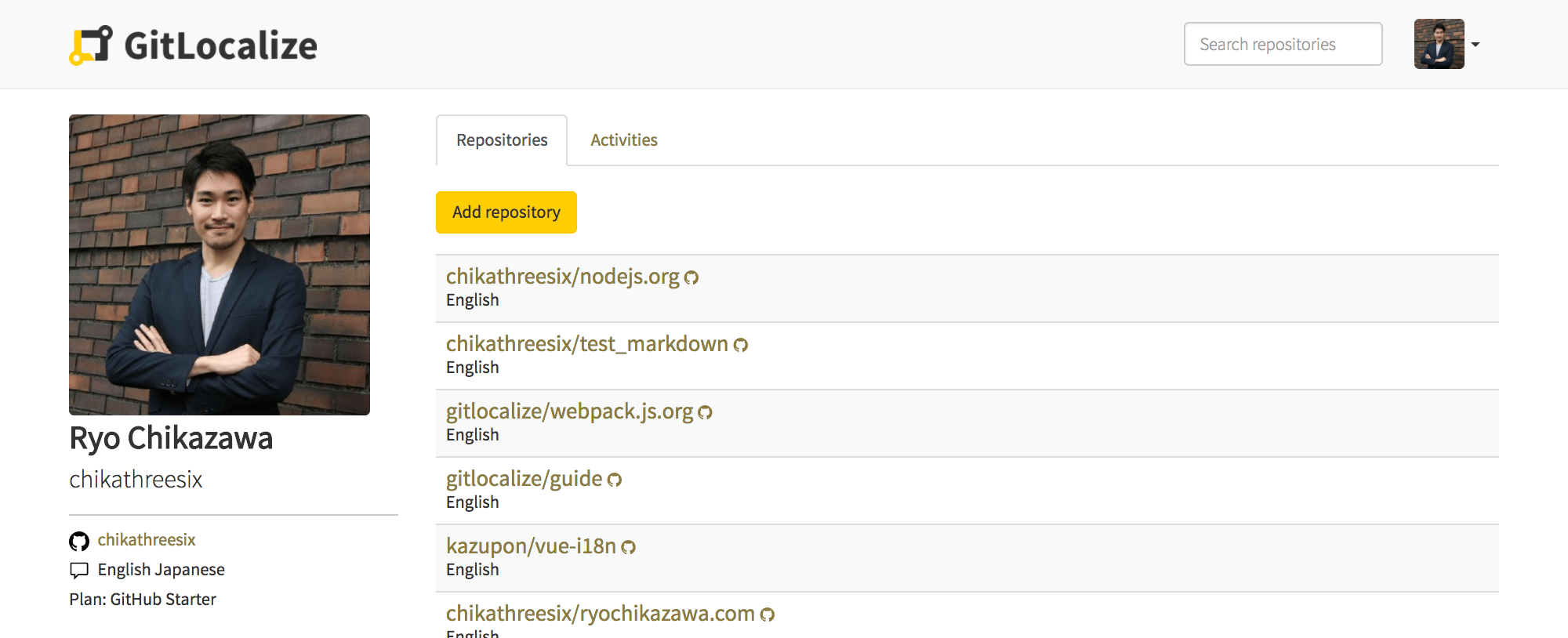
 Click **Add repository**, then choose the repository, its source and target paths, and its
languages.
Click **Add repository**, then choose the repository, its source and target paths, and its
languages.
 Each field is described in [Repositories](/repositories); the path syntax
in [Paths and languages](/paths).
GitLocalize pulls the matching files and parses them into segments. On a large repository this
takes hours rather than minutes — see [Syncing](/syncing).
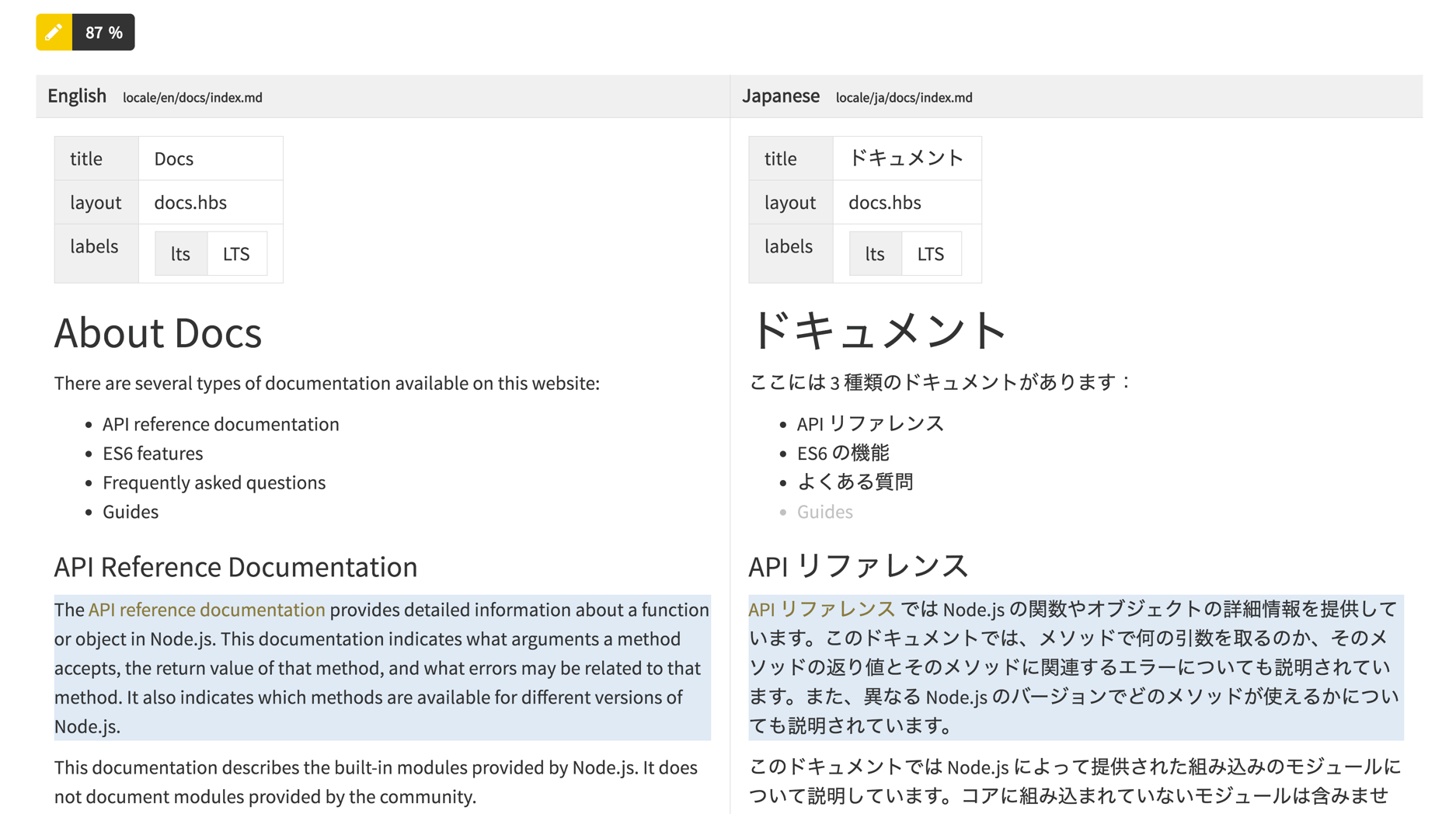
Open a file in the editor. Source and translation sit side by side, and untranslated segments are
highlighted.
Each field is described in [Repositories](/repositories); the path syntax
in [Paths and languages](/paths).
GitLocalize pulls the matching files and parses them into segments. On a large repository this
takes hours rather than minutes — see [Syncing](/syncing).
Open a file in the editor. Source and translation sit side by side, and untranslated segments are
highlighted.
 **Create Review Request** sends the file to a Language Moderator. Once approved it becomes a pull
request against your repository — see [Reviews and pull requests](/reviews).
## Next
Segments, linking, and why translations stay in step with the source.
Add translators and moderators, and see what each can do.
**Create Review Request** sends the file to a Language Moderator. Once approved it becomes a pull
request against your repository — see [Reviews and pull requests](/reviews).
## Next
Segments, linking, and why translations stay in step with the source.
Add translators and moderators, and see what each can do.