> ## Documentation Index
> Fetch the complete documentation index at: https://docs.gitlocalize.com/llms.txt
> Use this file to discover all available pages before exploring further.
# Paths and languages
> How source and target paths select translatable files and determine where translations are written.
Paths tell GitLocalize where to find translatable files and where to write the translations it
generates. Every repository has at least one source path and one target path.
Target paths accept placeholders:
| Placeholder | Replaced with |
| ------------- | ----------------------------------------------------------- |
| `%lang%` | The target language code, e.g. `de` |
| `%file_name%` | The source file name without its extension, e.g. `a4a_spec` |
| `%file_ext%` | The source file extension, e.g. `md` |
Target paths serve double duty: GitLocalize writes translations there, and also scans the same
locations when importing translations that already exist in the repository.
## Default configuration
```text Source Path theme={null}
[repo_name]/
```
```text Target Path theme={null}
[repo_name]/%lang%
```
Translatable files are taken from the repository root, including subfolders. Translations are written
per language — Korean under `/ko/...`, German under `/de/...`.
## Directory-based paths
```text Source Path theme={null}
[repo_name]/src/site/content/en
```
```text Target Path theme={null}
[repo_name]/src/site/content/translations-%lang%
```
Sources come from `/src/site/content/en`. Korean translations are read from and written to
`/src/site/content/translations-ko`, German to `/src/site/content/translations-de`.
## File-based paths
A path can name a single file rather than a directory:
```text Source Path theme={null}
pages/translations/en/LC_MESSAGES/messages.po
```
```text Target Path theme={null}
pages/translations/%lang%/LC_MESSAGES/messages.po
```
## Mixed-type paths
A directory source can pair with a filename-based target, keeping translations beside their sources:
```text Source Path theme={null}
pages/content/amp-dev/documentation/guides-and-tutorials
```
```text Target Path theme={null}
%file_name%@%lang%.%file_ext%
```
The German translation of `a4a_spec.md` is written to the same `guides-and-tutorials` directory as
`a4a_spec@de.md`.
## Custom language codes
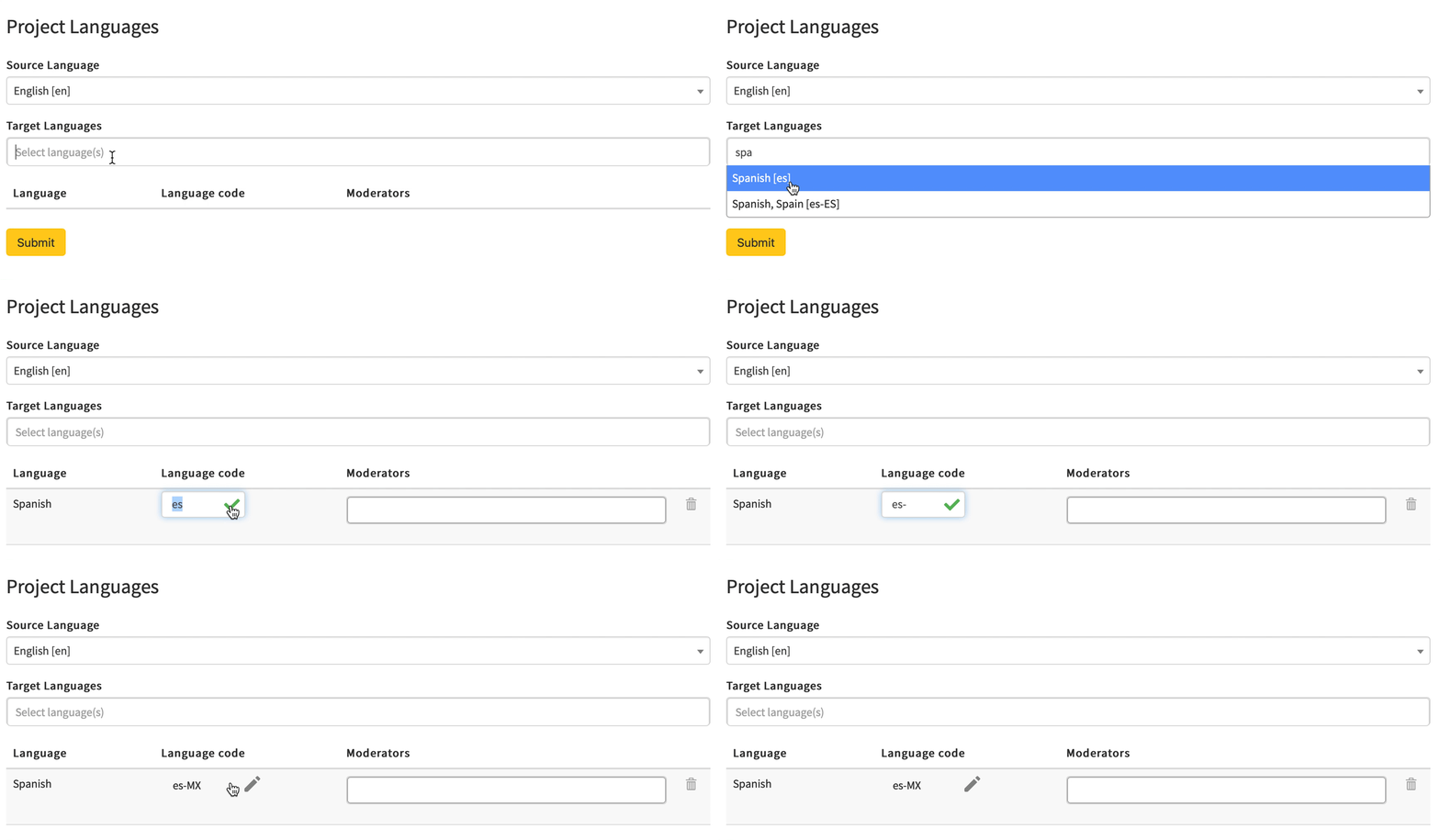
By default `%lang%` resolves to GitLocalize's own code for each language. Each language can override
it — `pt-BR` instead of `pt`, or `jp` instead of `ja` — so output lands where the repository expects
it.
Codes are set when the repository is connected, or later under **Manage Languages** in the Languages
view. Both are available to Admins and the Owner.
 Changing a language code changes where translations are written. Files already written to the old
path are not moved.
Changing a language code changes where translations are written. Files already written to the old
path are not moved.